※Auto-tilt bangle clamp is sold separately.
| Anti-drop pin (6Ø) (18mm) |
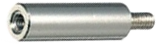 |
1EA | To secure the bangle clamp and to prevent it from falling during operation. |
| Finger Chuck Handle (CP-31) |
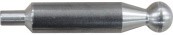 |
2EA | Handle for the external adjustment knob. |
| Silicone Tube | 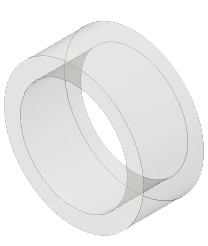 |
2EA | Non-slip Skin |
| Handle | 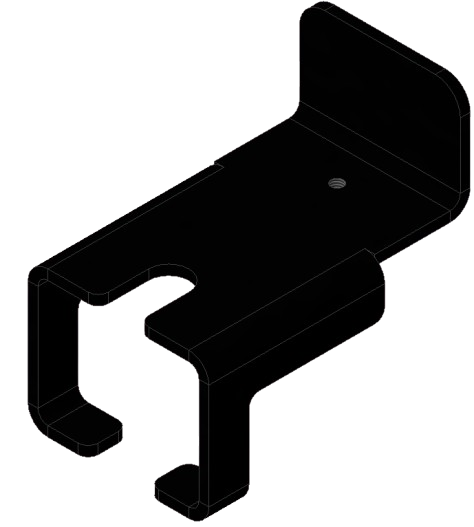 |
1EA | Handle for lifting fingers (used when attaching or detaching materials) |
| Auto-tilt bangle clamp (LMC-165) |
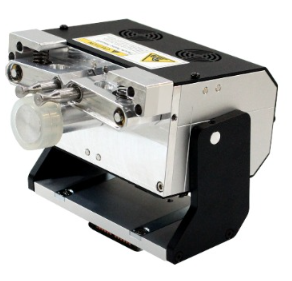 |
1EA | For holding ring materials in place.
※4mm chuck finger is included. |
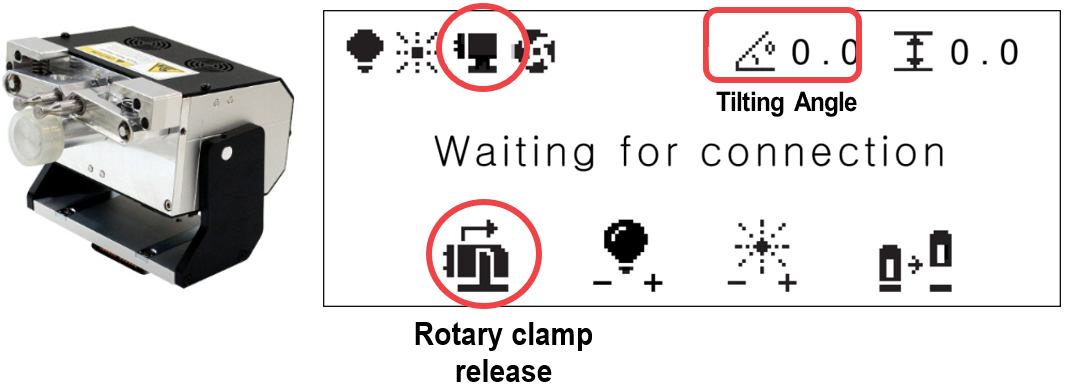
※When using the bangle clamp auto tilting function, set the tilting origin to the 0 degree.
(See [Machine setting] -5. Rotary origin for further details)
¶ How to connect the bangle clamp
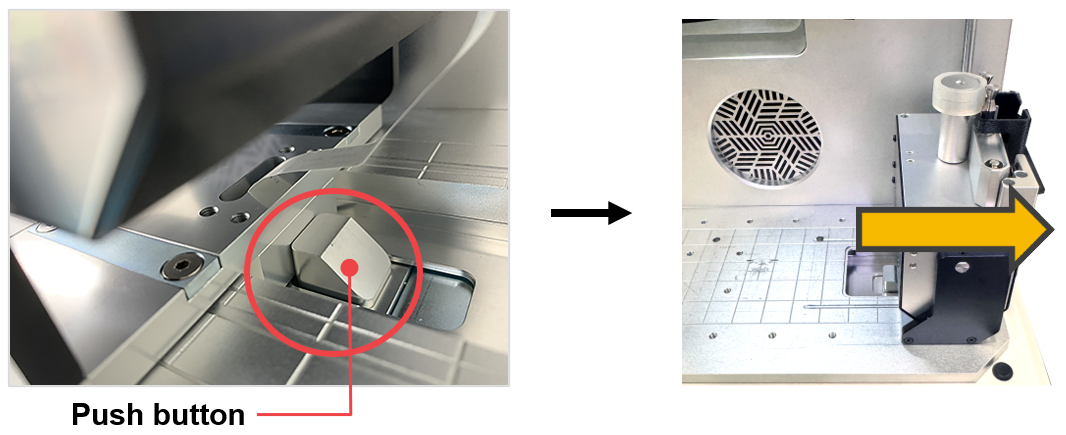
- Place the bangle clamp on the docking station and slide it to the left.
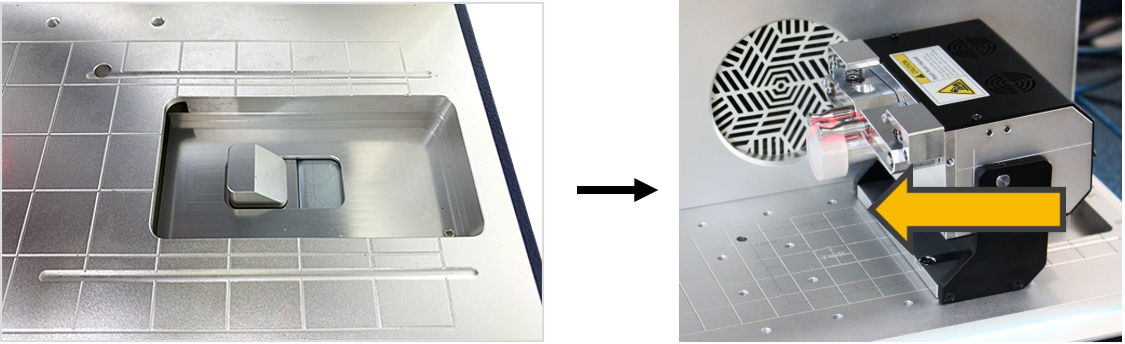
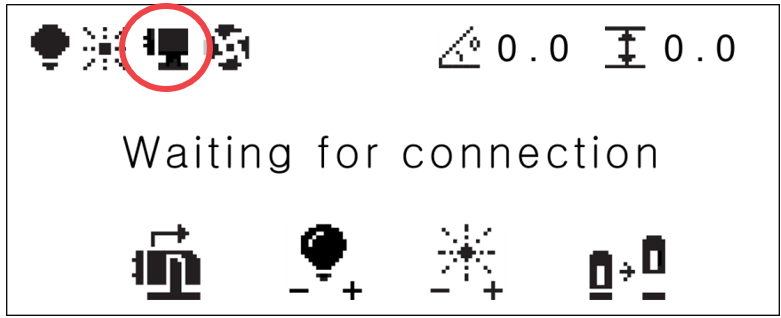
- Push the bangle clamp completely to the left until the push button fully lifts then beeps. Once the clamp is connected to machine, the machine will automatically recognize the device then it will begin to perform the initial operation.
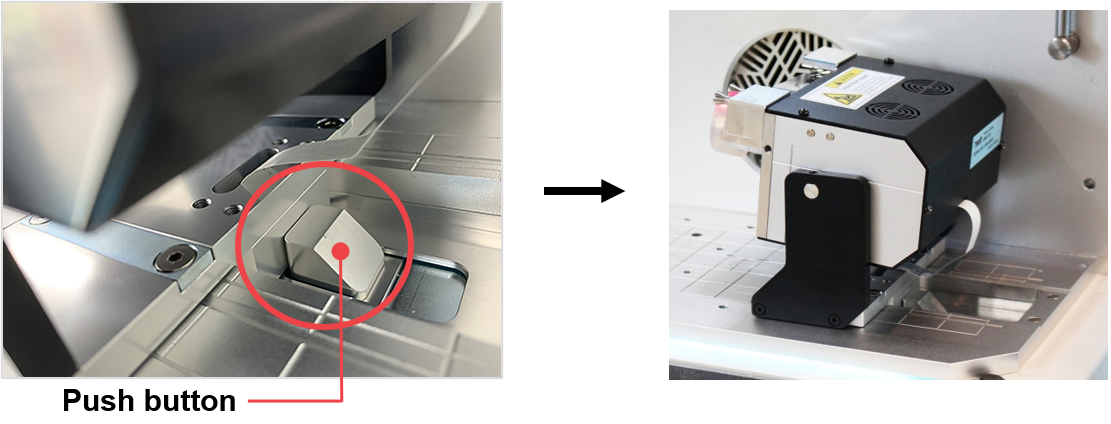
- A mounting icon will appear on the screen.
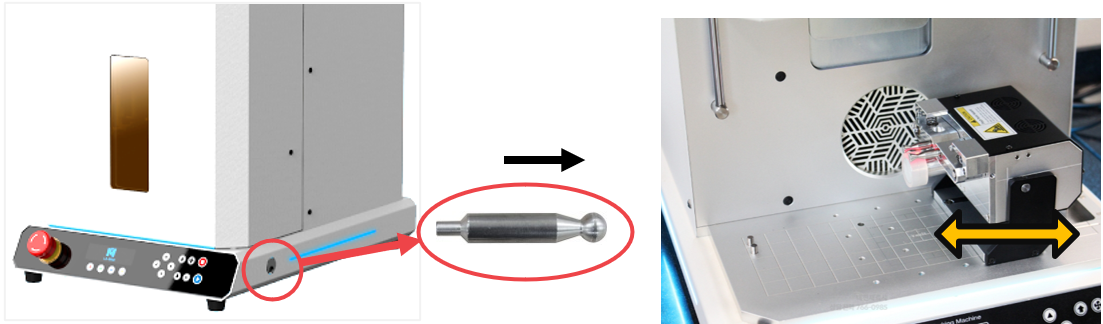
- Insert the anti-drop pin into the work area to secure the bangle clamp and to prevent it from falling during operation.
Anti-drop pin (6Ø) (18mm)
- Use the external adjustment knob (on the right side of the machine) to slightly adjust the position of the bangle clamp from left to right/right to left.
¶ How to disconnect the bangle clamp
- Press the bangle clamp release button to disconnect the bangle clamp.
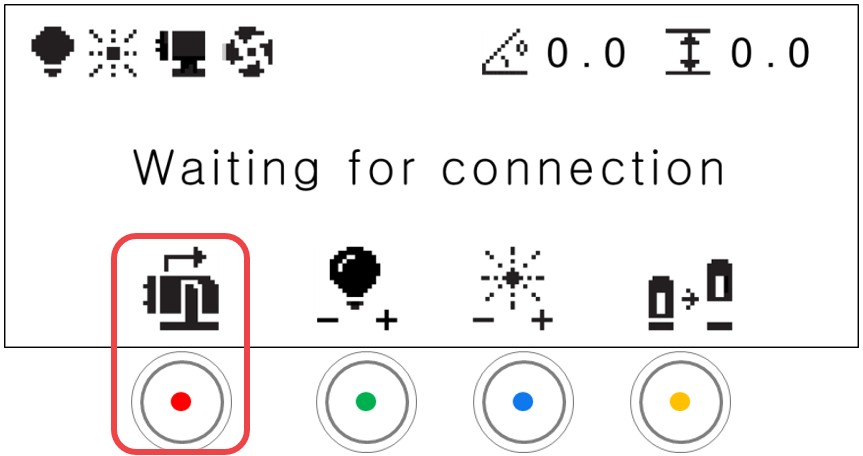
- The bangle clamp will be tilted to 90 degrees. Follow the instruction that will appear on the screen.
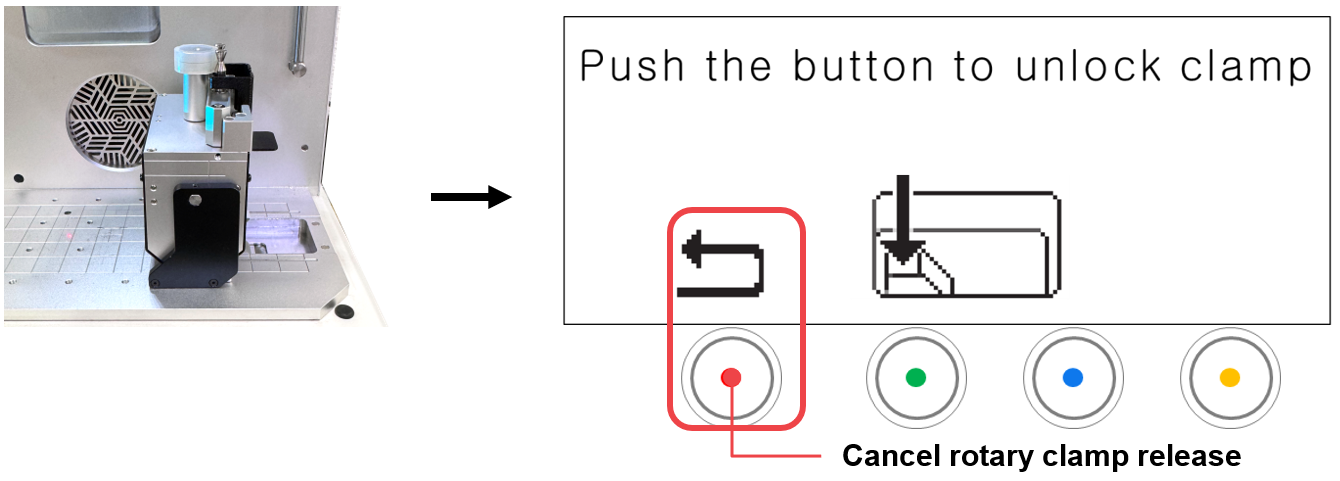
- Press the push button to release the bangle clamp then slide it to the right to put it aside.
¶ Fixing Method for Bangle Outer Engraving
| Handle | |
1EA | Handle for lifting fingers (used when attaching or detaching materials) |
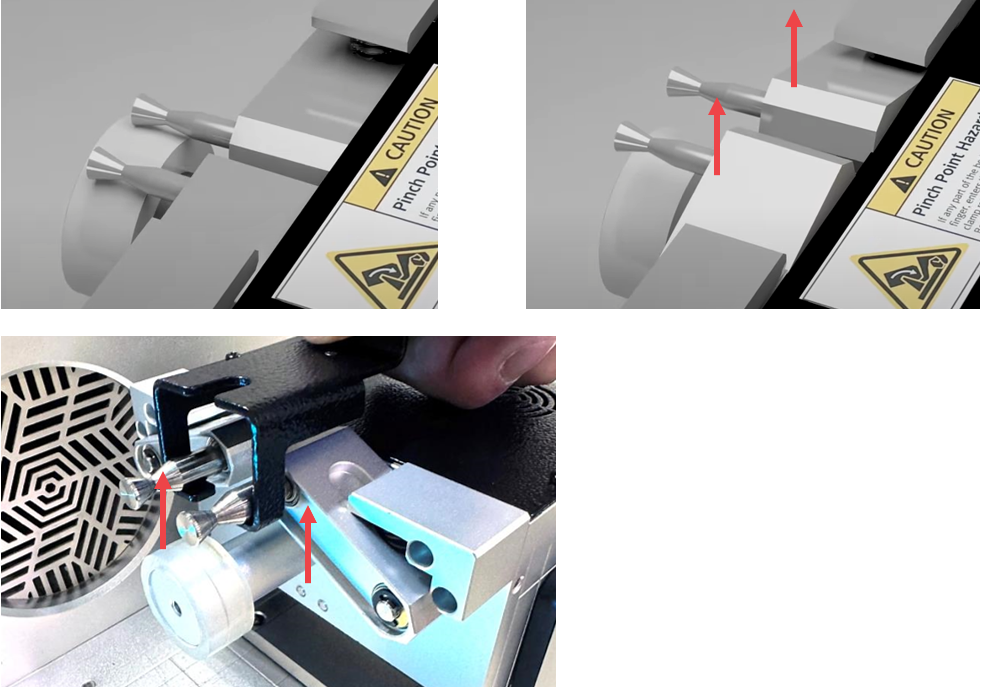
- Use the handle or your hand to lift and hold the two fingers.
- Place the bangle so that its inner side touches the silicone tube and is positioned at the horizontal center. Then, lower the fingers you held up.
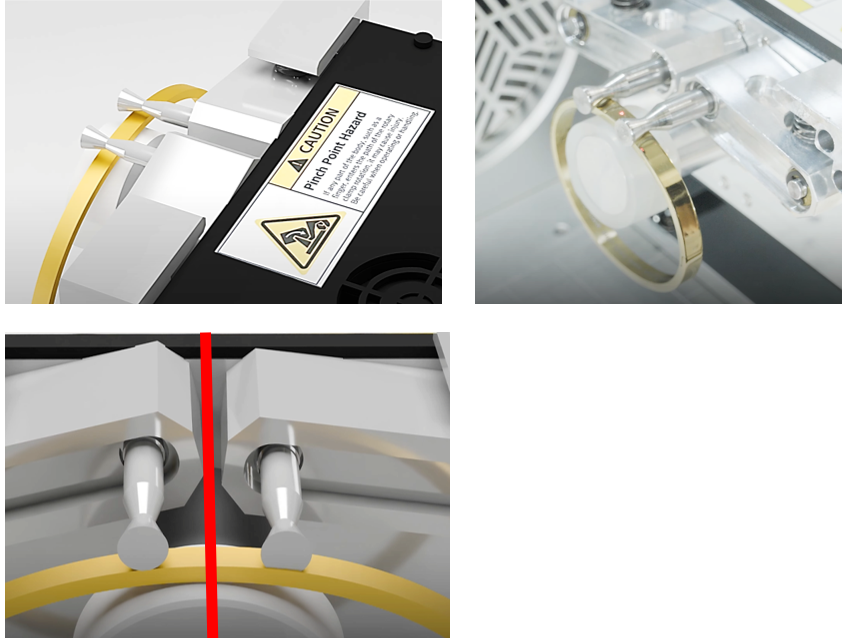
-
Use the ▲▼ (vertical direction) buttons on the keypad to rotate the bangle axis and adjust it to ensure the bangle rotates centrally.
※If it is bit aligned properly at the center, engraving may not be positioned as desired, and the material could slip out. -
After use, lift the two fingers again to remove the bangle.
¶ Fixing Method for Bangle Inner Engraving
- Use the handle or your hand to lift and hold the two fingers.
- Place the bangle so that its outer side touches the silicone tube and is positioned at the horizontal center. Then, Lower the fingers you held up.
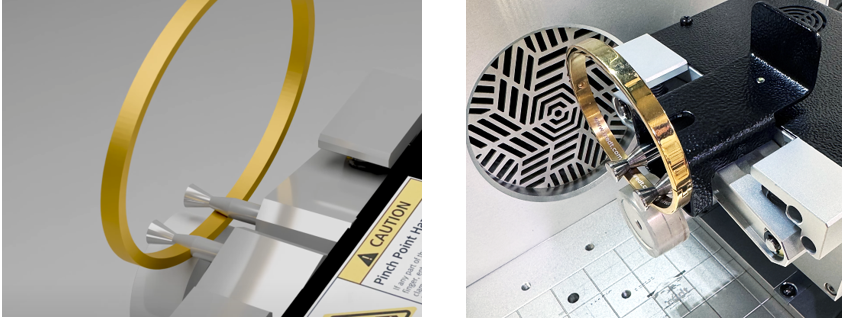
-
Use the ▲▼ (vertical direction) buttons on the keypad to rotate the bangle axis and adjust it to ensure the bangle rotates centrally.
※If it is bit aligned properly at the center, engraving may not be positioned as desired, and the material could slip out. -
After use, lift the two fingers again to remove the bangle.