¶ Saving as design sample 1
1. Edit contents and select the objects.
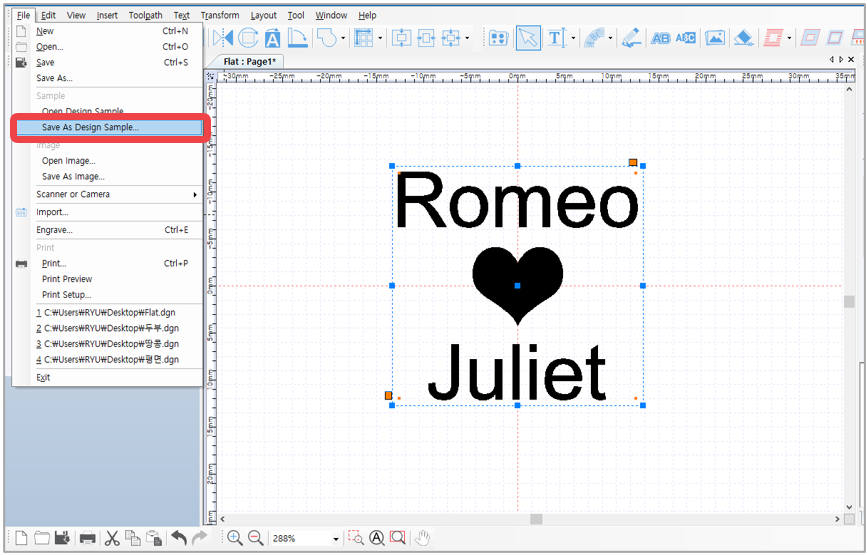
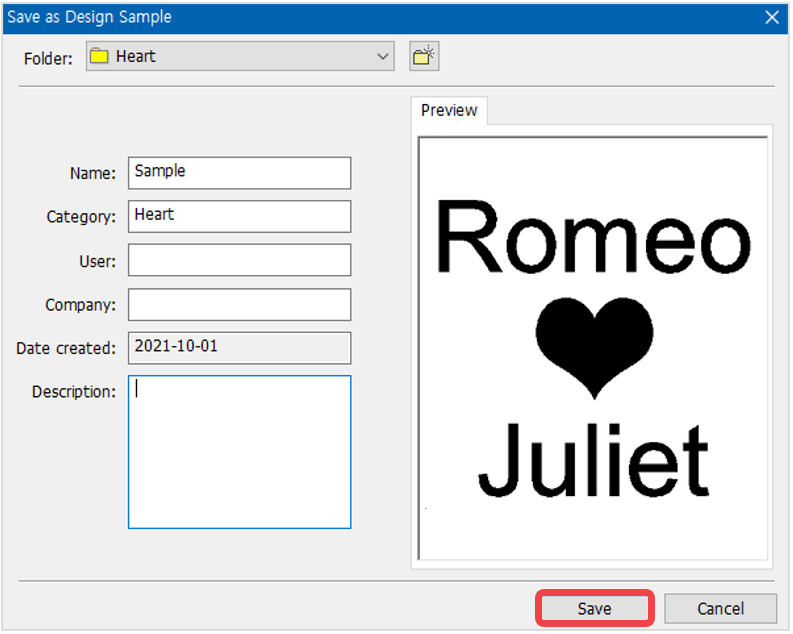
2. Click File [Menu] → [Save as Design Sample] then select a folder or create new folder.
Enter the name then click “Save.
¶ Saving as design sample 2
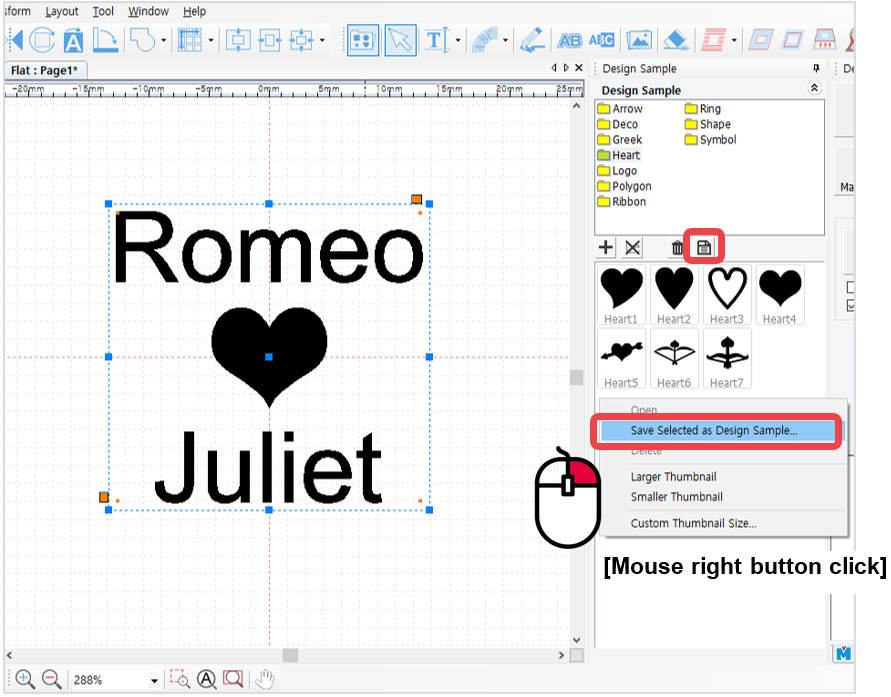
1. Select the objects then click [Design Sample] button. Select a folder from the design sample library window to save the created design.
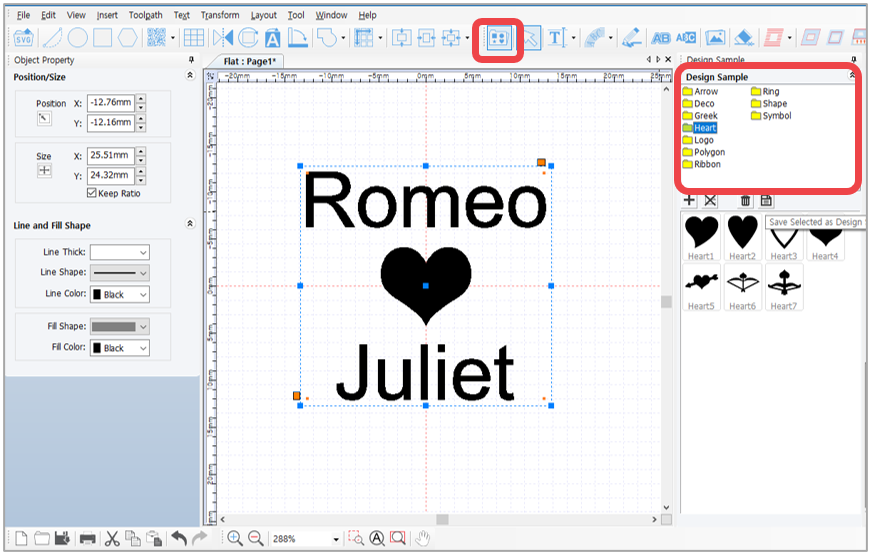
2. Click [Save selected image as sample] or right-click the design sample image then click “Save Selected as Design Sample” on the menu.
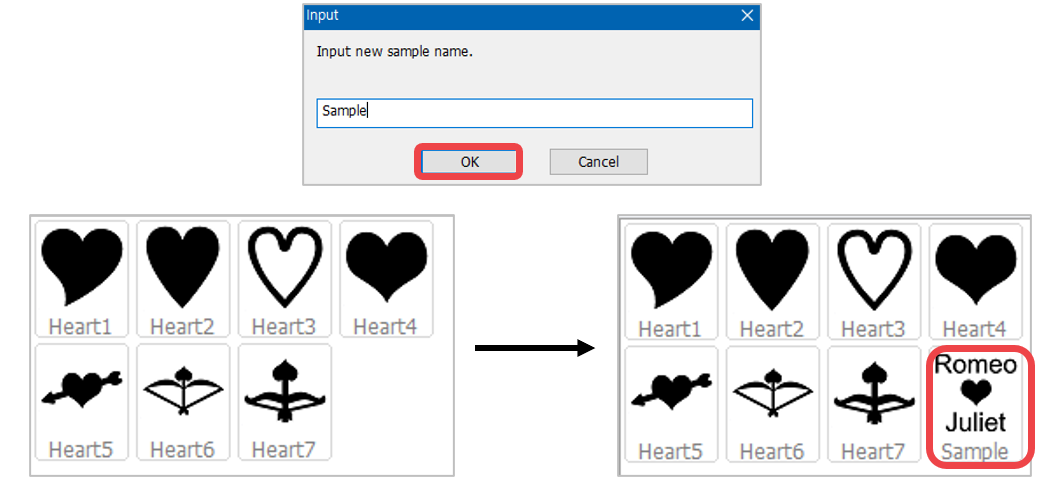
3. Enter the name of the design created then click “OK” button. The design will be saved in the design sample library.
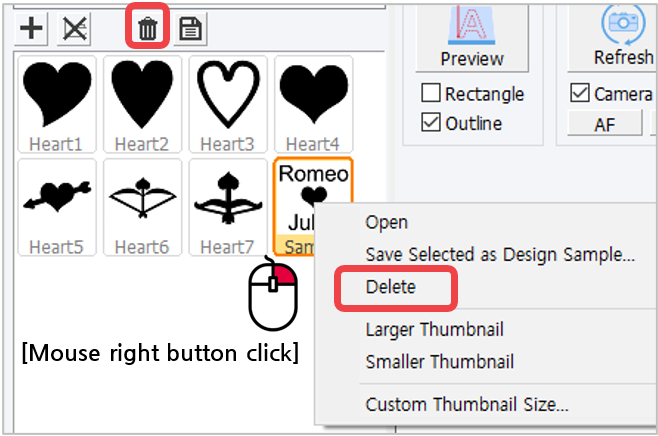
✽ Right-click in the design sample window to see more features. The design sample can be deleted by
right-clicking in the design sample window then select [Delete] on the menu.