Press one of the ◀▶▼▲ buttons in the [STANDBY] mode to activate [MOVE].
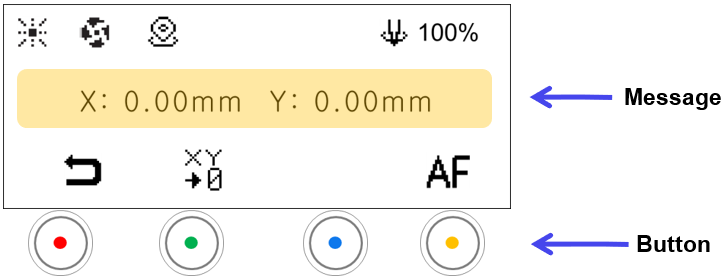
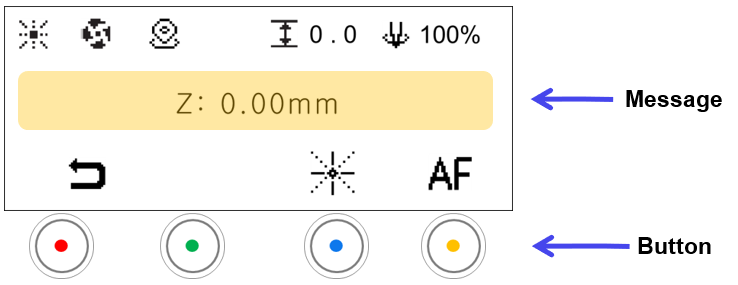

| Message | |
|---|---|
| Position | Display current position coordinates. |
| Mode | ||
|---|---|---|
 |
Standby Mode | • Switches to the STANDBY mode • Switches automatically to [STANDBY] mode if not in use for 10 seconds. Press any buttons to activate [MOVE] mode. |
 |
Save Origin | [Displayed only in CNC mode.] Saves the current position as the XY origin *Short-press: Temporary save *Long-press: Permanent save |
 |
Focus Pointer | [Displayed only in laser mode.] Brightness levels There are 4 levels of brightness control. Each time the button is pressed, the level changes as well as the level cycles. 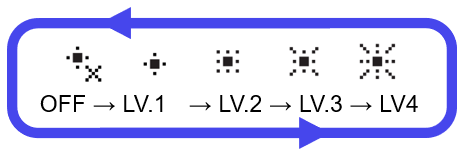 |
 |
Auto focus | [Displayed only in CNC/Laser Flat modes. Measures the material height and moves to the focus position. In CNC mode, the height is measured at the current tool position. In laser mode, the height is measured at the center position of the clamp. |