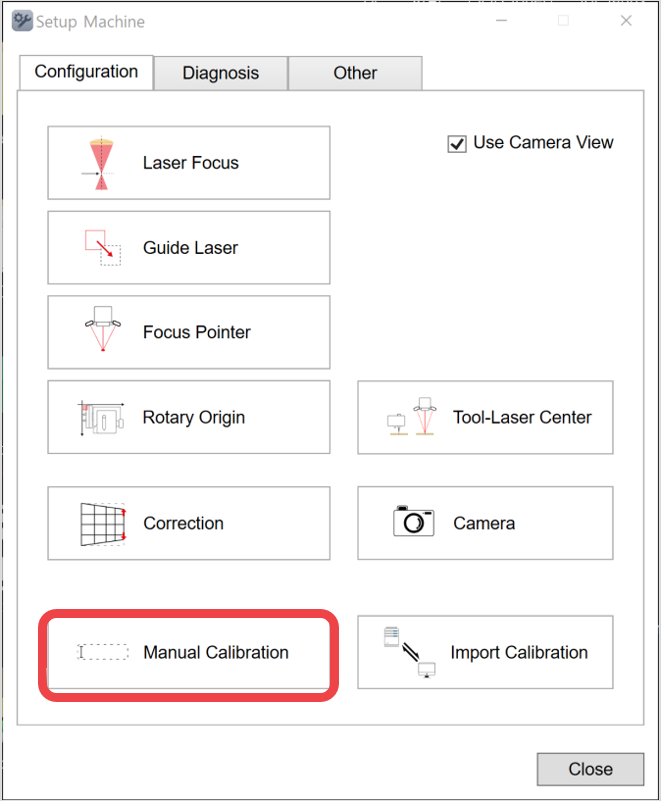
1. Click [Manual calibration].
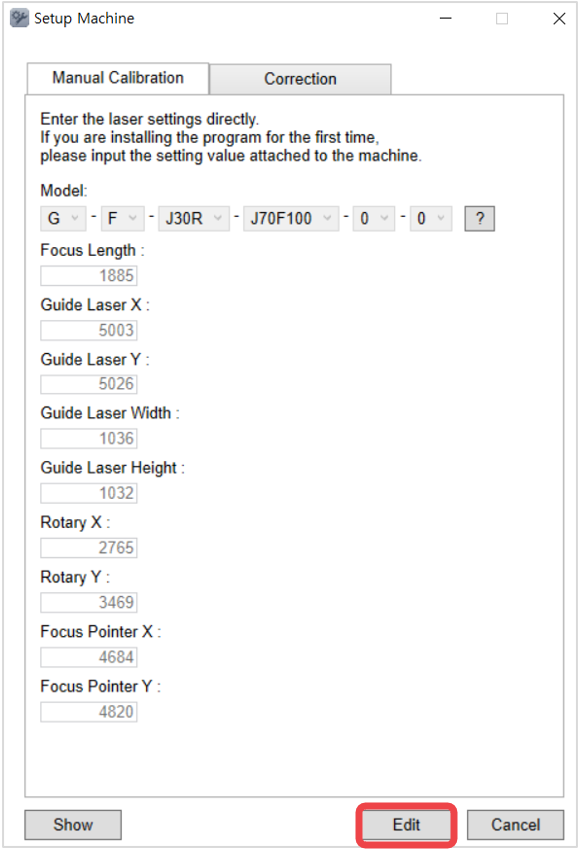
2. Click [Edit].
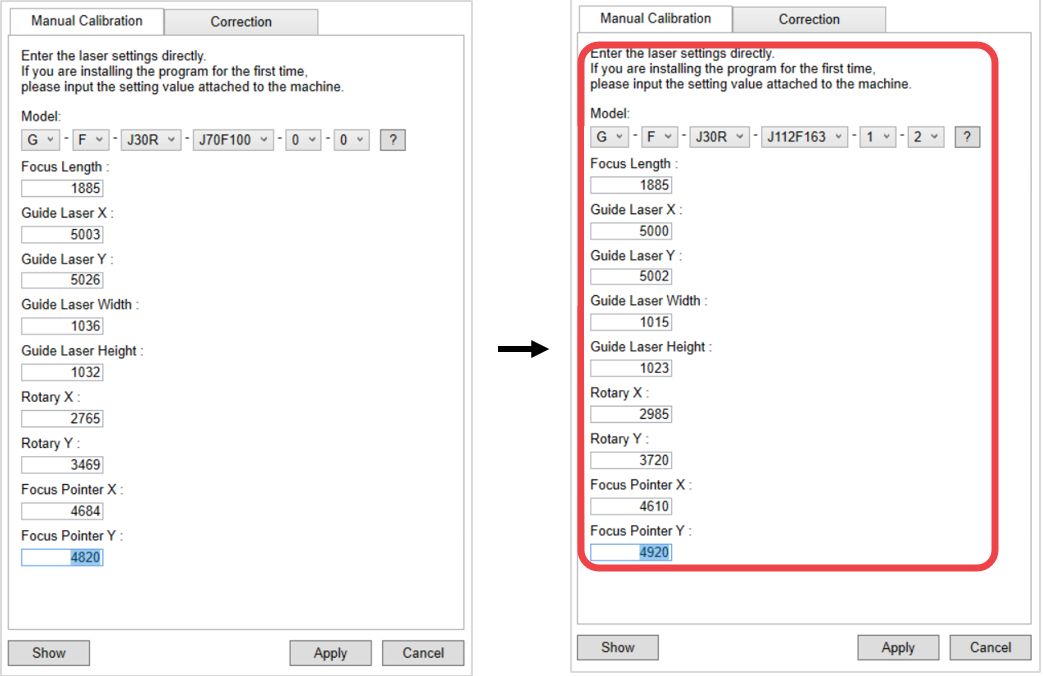
3. Enter the setting values then click [Apply].
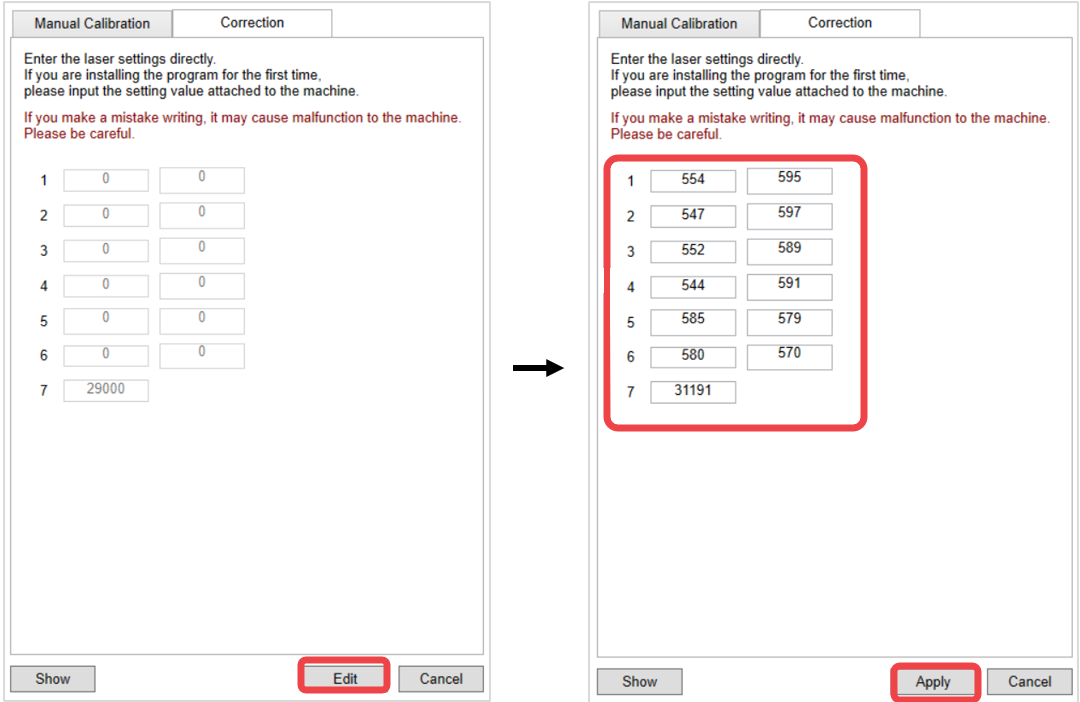
4. Select [Correction]. Enter the setting values then click [Apply].
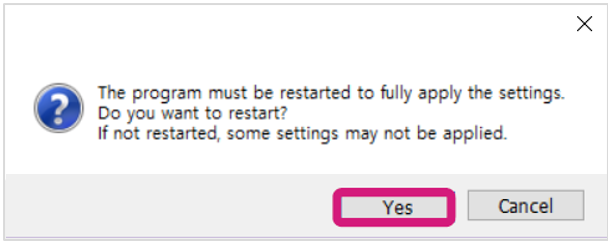
5. Click [Yes] to restart the program.
1. Click [Manual calibration].
2. Click [Edit].
3. Enter the setting values then click [Apply].
4. Select [Correction]. Enter the setting values then click [Apply].
5. Click [Yes] to restart the program.