You can set the origin in the Laser Options window.
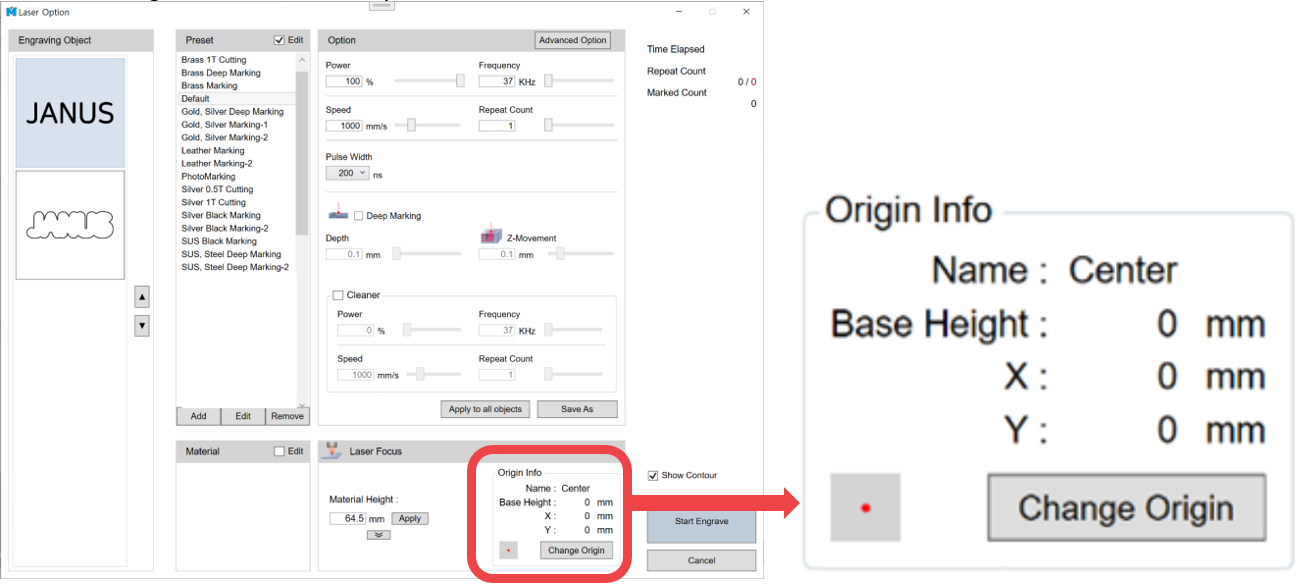
| Name | Sets the origin name. |
| Base Height | Sets the base height. For example, if the cutting clamp height is 30mm, entering 30mm as the Base Height sets the cutting clamp base as the focus reference. Therefore, entering 0mm for the Material Height moves the focus to the cutting clamp base. |
| Change Origin | Changes the selected origin. |
[Change Origin]
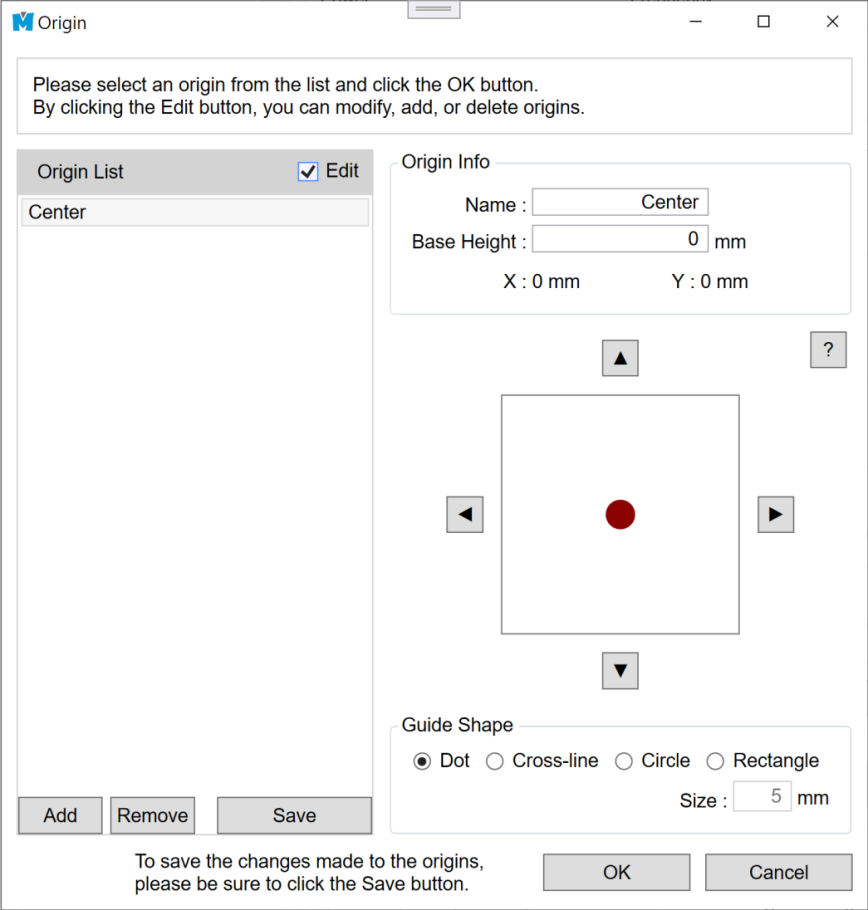
| Origin List | Displays the list of origins. You can add, delete, or edit origins. |
| Edit | You must select the Edit checkbox to activate the adjustment buttons for adding, deleting, or editing origins. |
1. To select and apply an origin, choose the desired origin from the Origin List and press the OK button.
To add or edit an origin:
2. Select an origin from the Origin List, enter the name and reference height, then adjust the origin position using the Up / Down / Left / Right buttons.
- When modifying an existing saved origin, you must press the Save button to apply and store the changes.
3. You can verify the origin position using the laser pointer.
The Guide Shape function allows you to check the origin position in various shapes.
- Dot: Displays the laser pointer as a dot.
- Cross-line: Displays a crosshair of the specified size.
- Circle: Displays a circle of the specified size.
- Rectangle: Displays a rectangle of the specified size.
- Size: Sets the size of the guide shape.