※LASER MARKING ONLY.
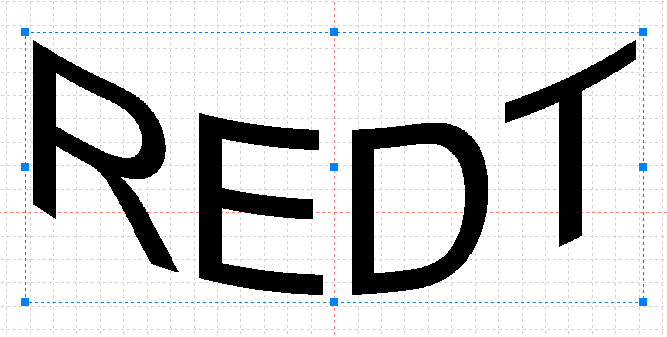
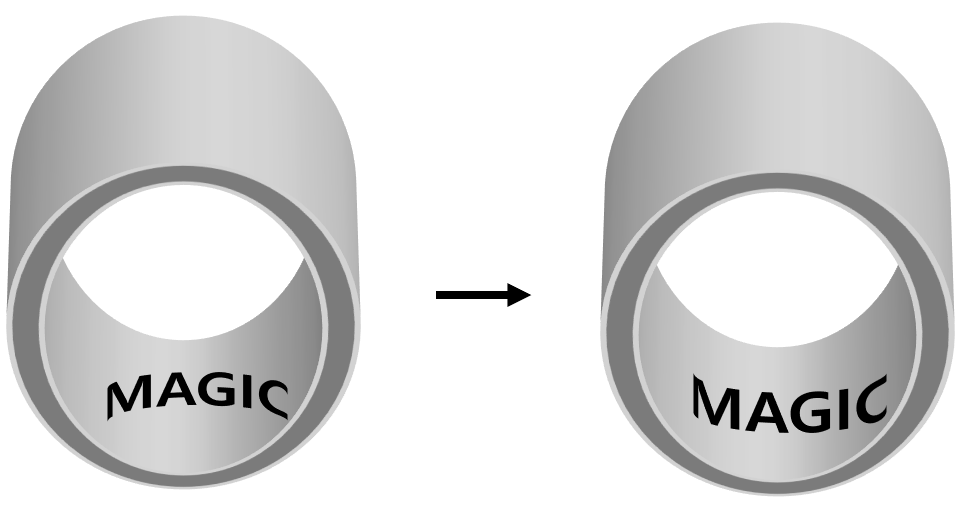
Text shape can be distorted during laser marking process. Distortion in text shape can be corrected with [Text Shape Distortion] function.
Be sure to check the guide laser and enter the distortion value.
Take note that this function applies only to texts and shape figures; not images or circular texts.
¶ Curved Text Distortion
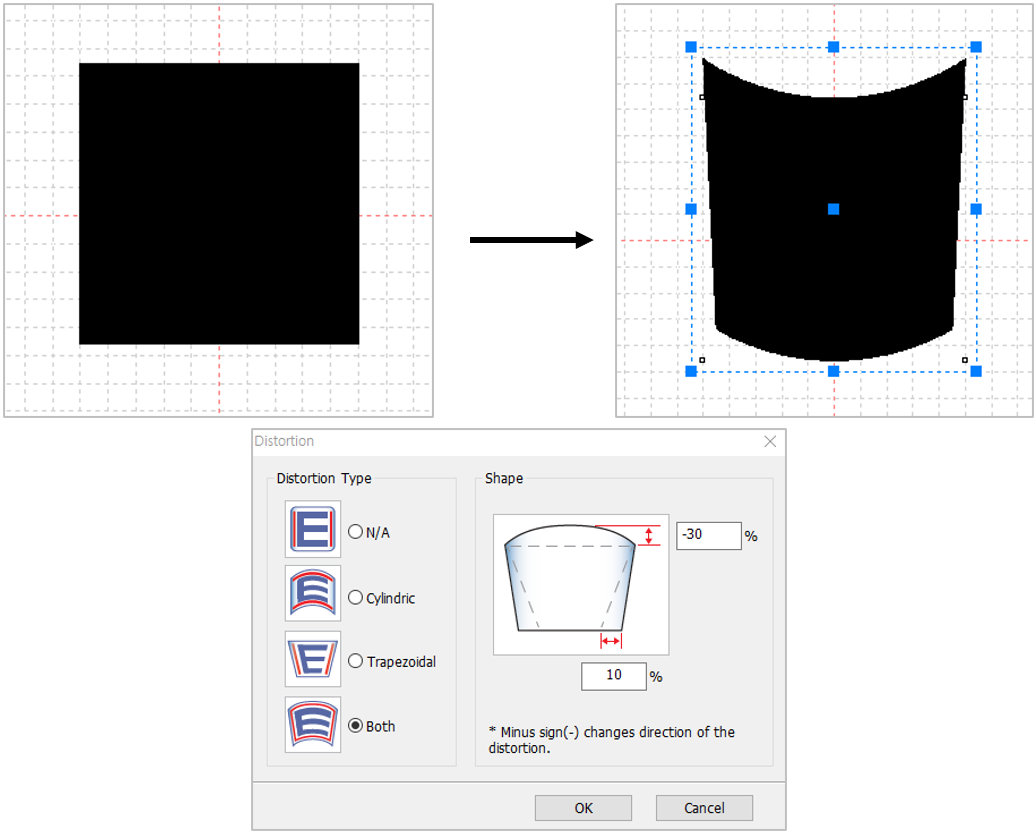
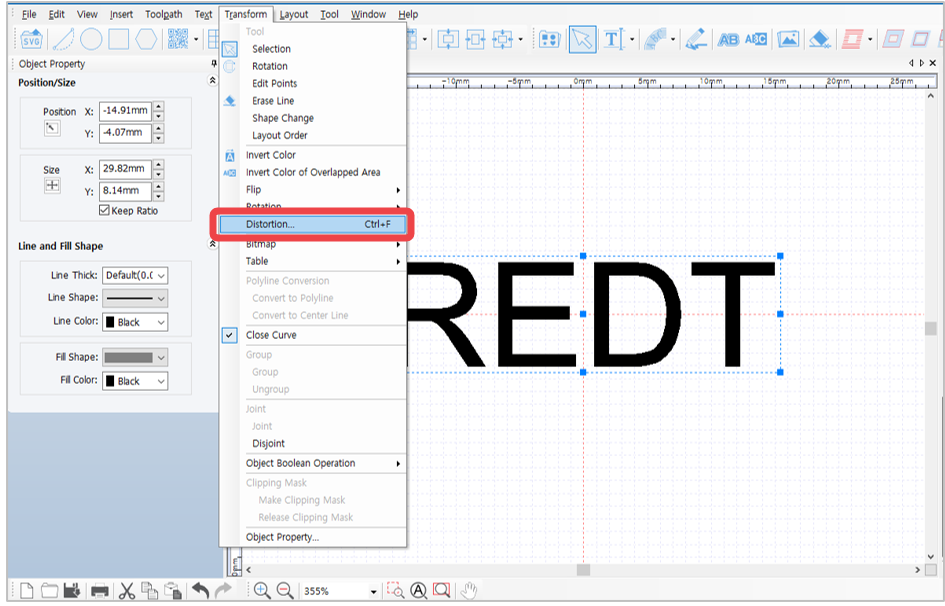
Text shape can be distorted with the use of MagicEngrave program. To create shape figures go to [Menu] → [Transform] → [Distortion].
¶ How to Distort Text Shape
When [Distort Shape] is clicked, the shape of each text is distorted even without converting each text object into a curved text.
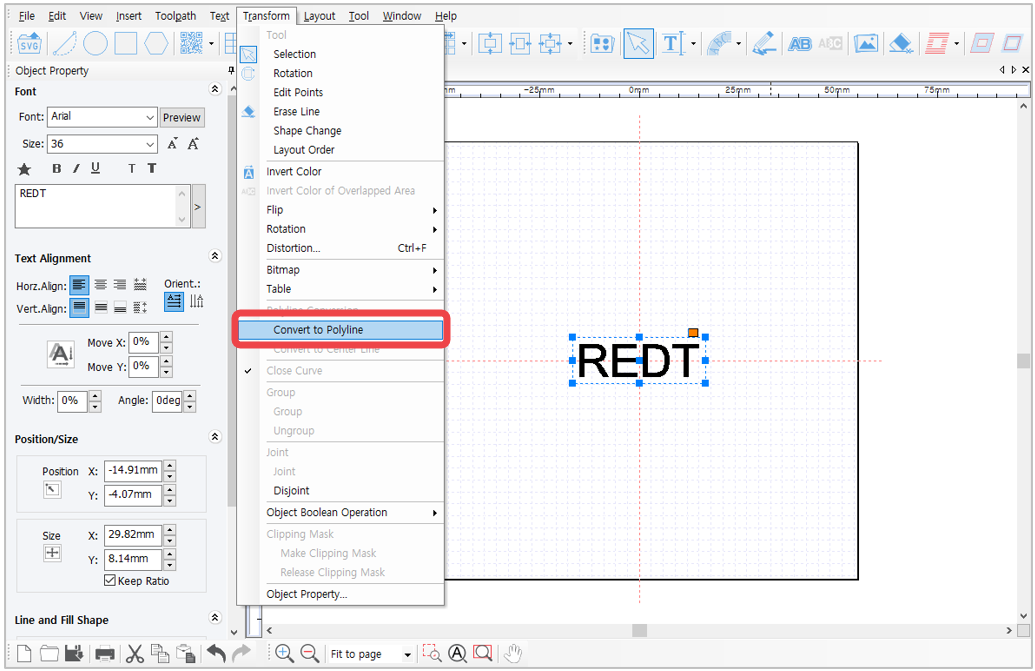
- Enter the text then click [Menu] → [Transform] → [Convert to polyline].
(Or select the text object then right-click → [Convert to polyline])
* The text is converted into shape figure (i.e., curved text).
Editing text is not applicable once the text is transformed into figure.
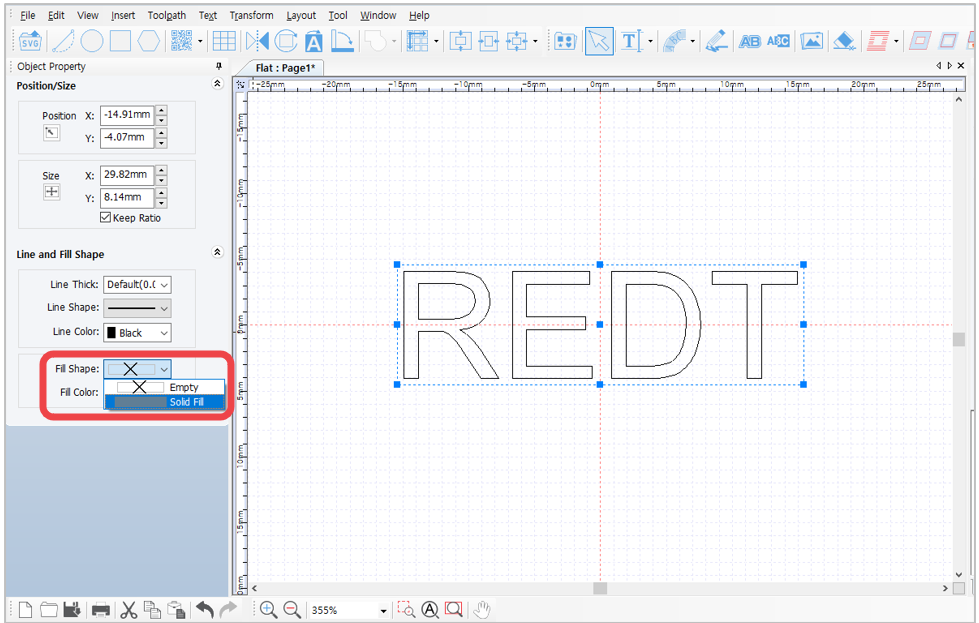
2. Once the text is converted into curved text, go to Line and Fill Shape options (in the Object Property window on the left) then change [Fill Shape] to [Solid Fill].
- Then go to [Menu], click [Transform] → [Distortion].
- Select a shape and enter a value. If a negative value is entered, the shape of the shape selected is reversed.
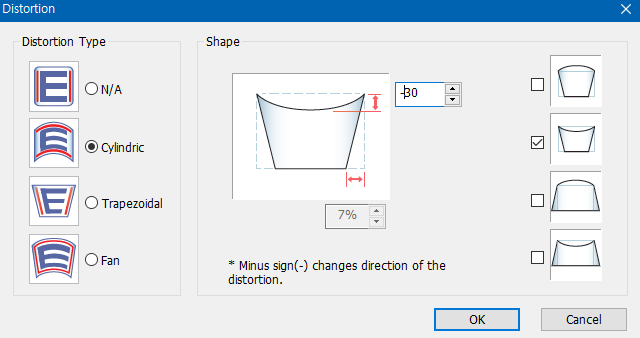
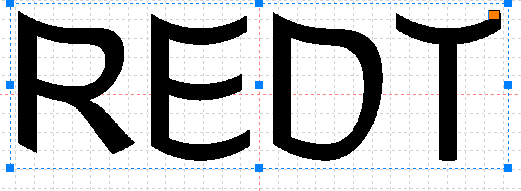
- For example, if [Cylindric] shape is selected and a negative value is entered, the shape of the text will appear reversed (as shown below).