¶ (1) CNC
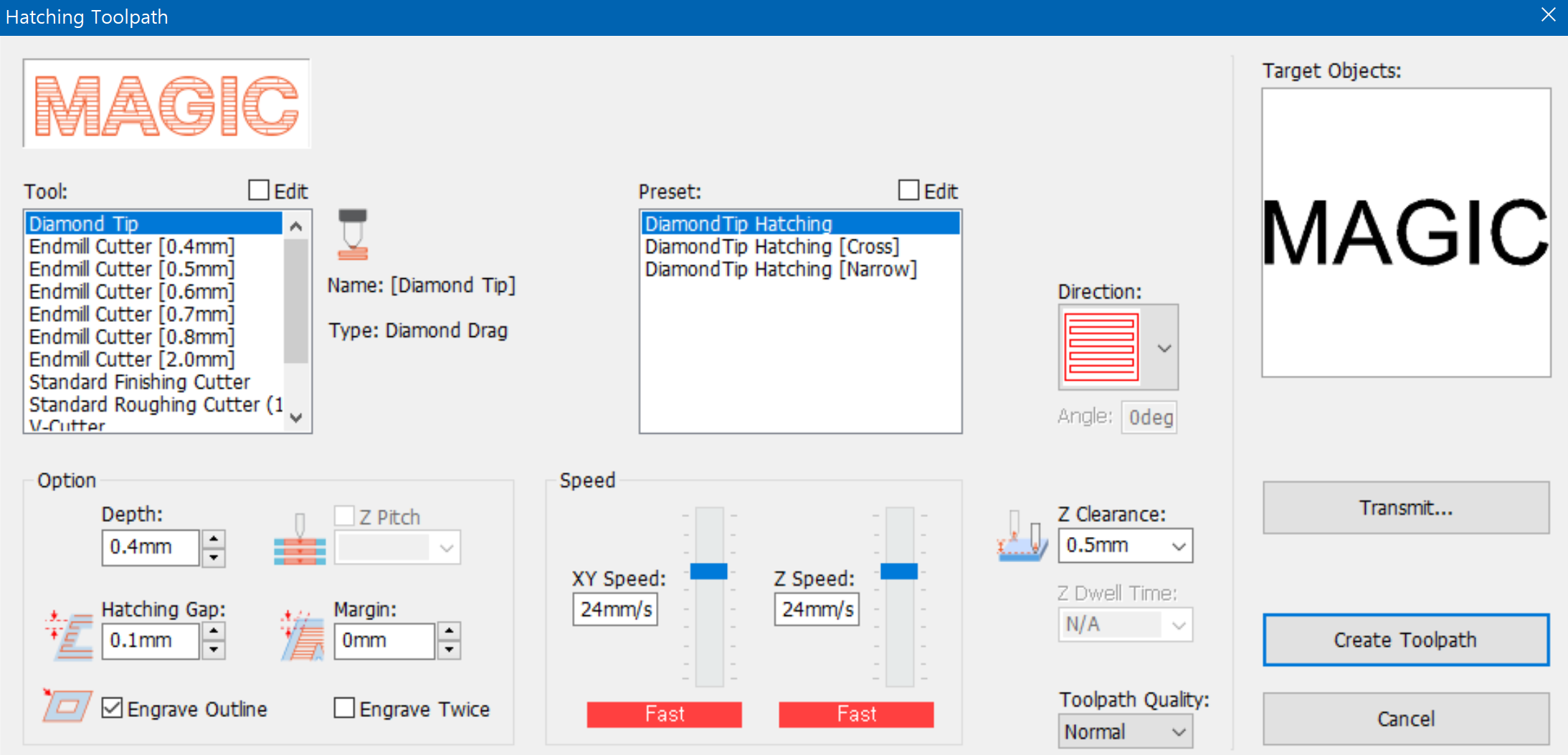
Tools in [Tool] option may vary according to types of models.
| Tool | Designate a tool to be used for engraving. Each tool setting value can be changed by clicking Edit or Add button. | |
| Preset | Hatching gap, depth, engraving speed and others are pre-set for each engraving option. It is not necessary to assign each value every time as the values is automatically pre-set. Each value can be changed by clicking Edit or Add button. | |
| Direction | The following hatch lines are applied to hatching toolpath only :  : A tool path is created in the horizontal directions : A tool path is created in the horizontal directions  : A tool path is created in the vertical directions : A tool path is created in the vertical directions  : A tool path is created in the left diagonal directions : A tool path is created in the left diagonal directions  : A tool path is created in the right diagonal directions : A tool path is created in the right diagonal directions  : A tool path is created in the diagonal cross hatched directions : A tool path is created in the diagonal cross hatched directions 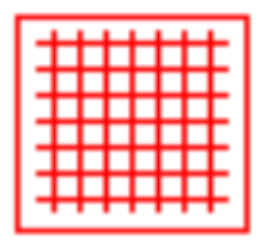 : A toolpath is created in horizontal and vertical directions : A toolpath is created in horizontal and vertical directions ※ These toolpaths are not recommended to be applied to materials with plated surfaces as they may cause possible damage to the material. |
|
| Option | Depth | Engraving: Refers to the applied pressure and not the actual engraving depth. The higher the pressure is, the deeper it imprints. Cutting: Refers to the actual engraving depth when using rotary tools like end mills, V cutters, etc. |
| Z Pitch | Designate the depth when cutting the engraving depth little by little. This option is necessary when cutting thick materials with a thin tool.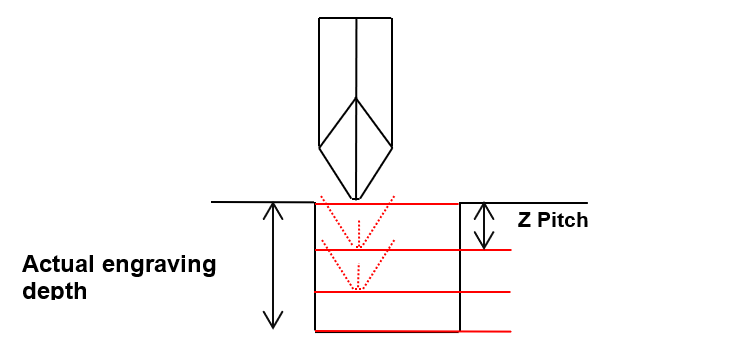 |
|
| Hatching gap | Designate hatching gap.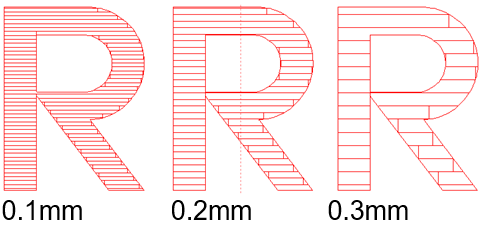 |
|
| Margin | Designate a margin between object outline and toolpath.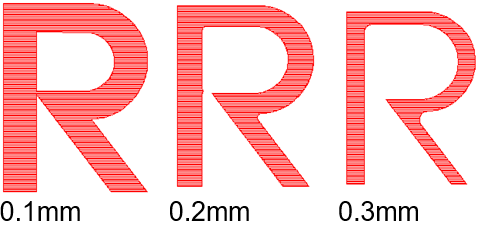 |
|
| Engrave outline | If this option is checked, a toolpath with an outline is created. If unchecked, a toolpath without an outline is created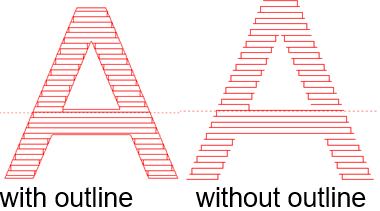 |
|
| Speed | XY speed | Designate a speed at which XY axis will move during the engraving. |
| Z speed | Designate a speed at which Z axis will move during the engraving. | |
Engraving speed is displayed in colors according to tools or engraving options. |
||
| Move Option | Z clearance | This designates the height to be applied for the clearance between the tool and the surface of material when moving to another engraving location. When moving to another engraving location, it is necessary to lift Z axis to prevent the tool from coming in contact with the material surface before moving. 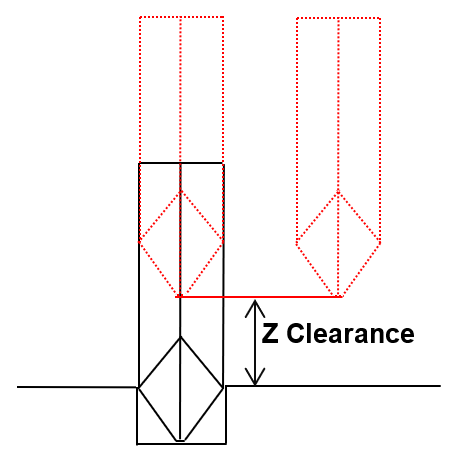 |
| Z dwell time | This designates no-load rotation time of end-mill and V-cutter after they reach the target depth and before moving to X, Y axis point. It is possible to damage the tool as rotation speed reduces while engraving. Set up the Z-dwell time to recover the full rotation speed before engraving. ✽Recommended time: 0.5 ~1 second. |
|
| Transmit | Toolpath output window is displayed | |
¶ 1) Tool
Check “Edit” button to see Add/Delete/Edit buttons.
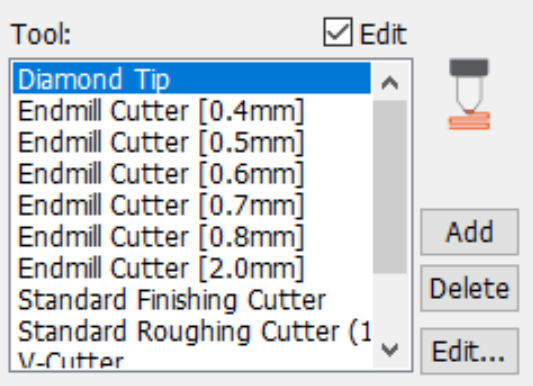
| [Add] | Designate a name for the tool to be added along with its type and other options like tip width, then click “OK” button. The tool will then be added to the tool selection list.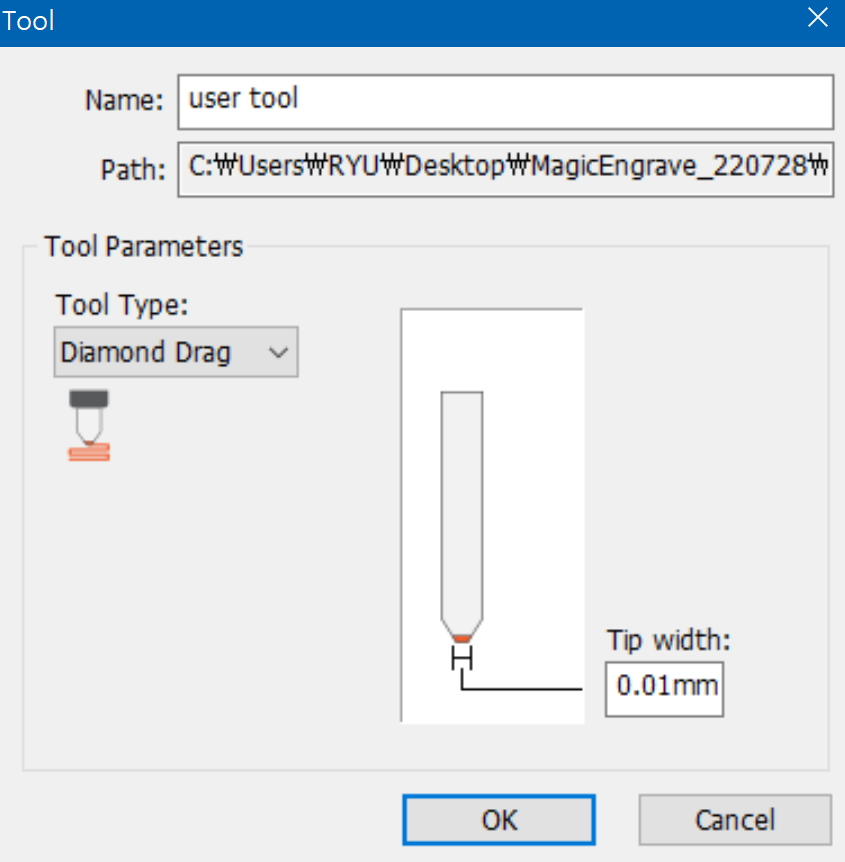 |
| [Delete] | Select a tool to be deleted then click “Delete” button to remove the tool from the list.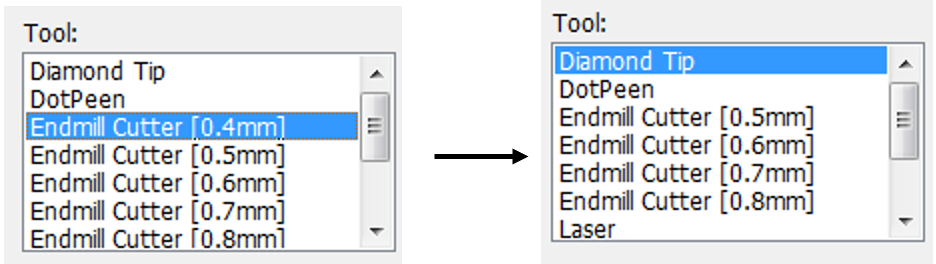 |
| [Edit] | Select a tool to modify then click “Edit” button. Click “OK” button to save the modified value.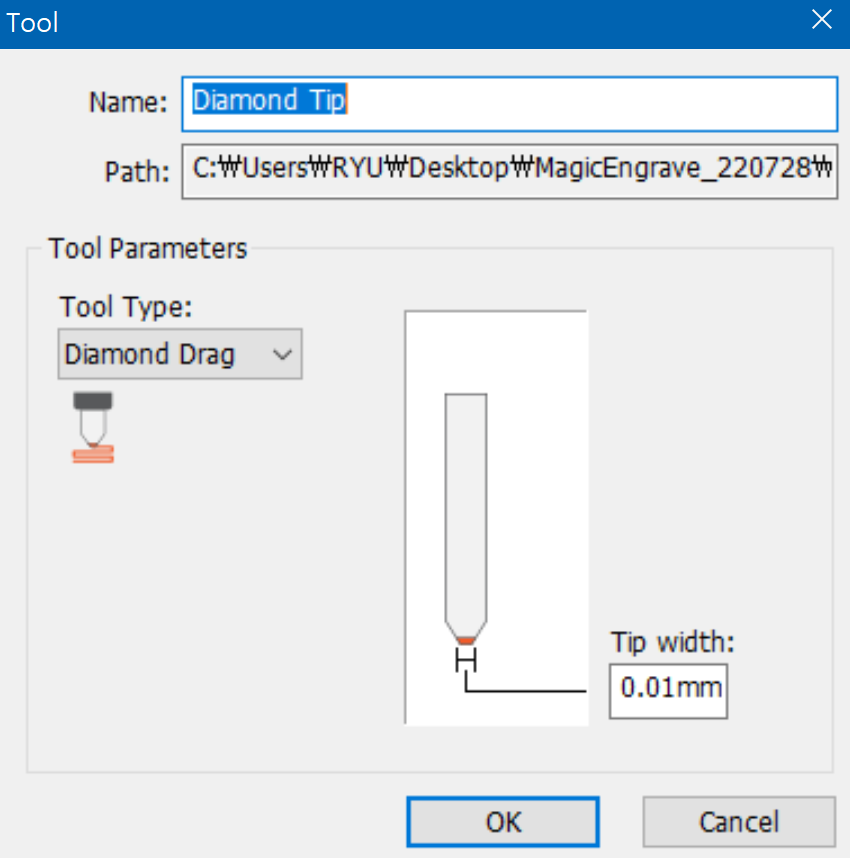 |
¶ 2) Engraving Option
[Add/Delete/Edit]
Check “Edit” button to see Add/Delete/Edit buttons.
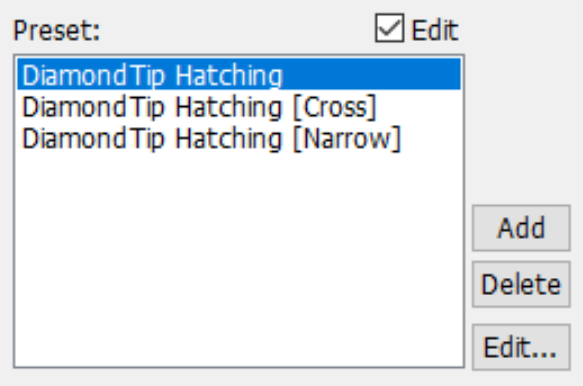
| [Add] | Enter a name then set the hatching gap, engraving depth and speed. Click “OK” button and the option will be added to the selection list.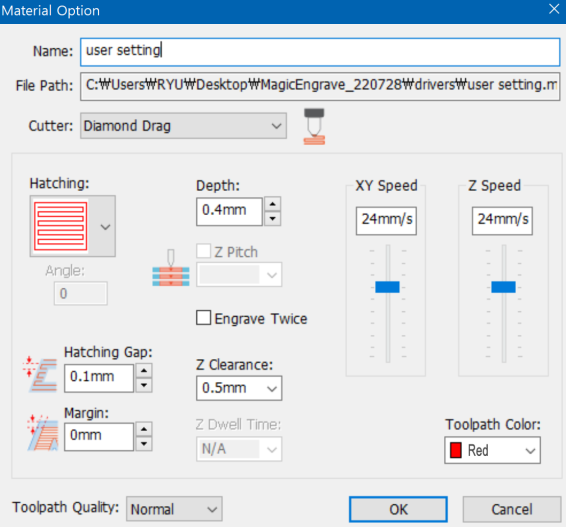 |
| [Delete] | Select an option to be deleted then click “Delete” button to remove the option from the list. 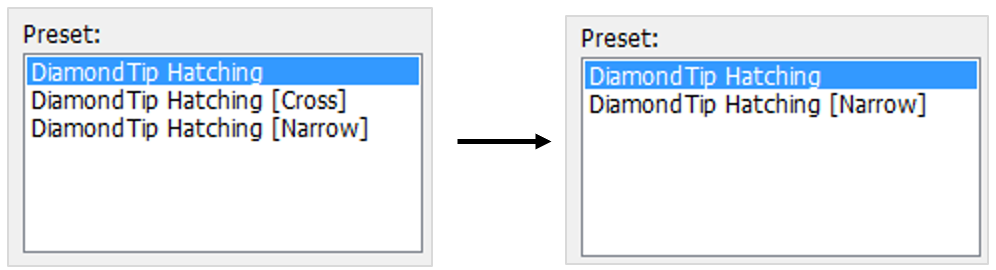 |
| [Edit] | Select a tool to modify then click “Edit” button. Click “OK” button to save the modified value.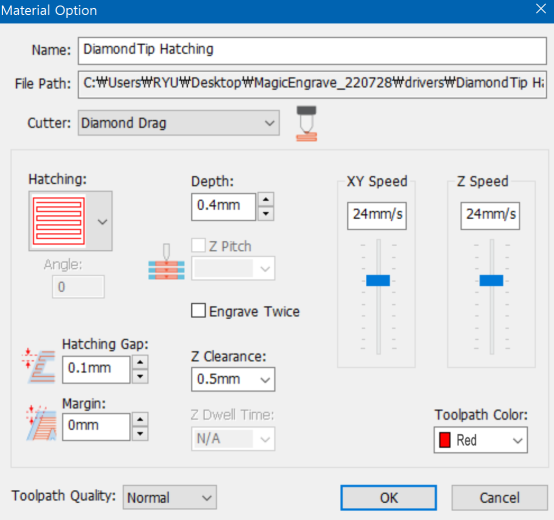 |